
For modern local businesses, a website can serve as an interactive storefront. Consumer expectations often favor immediate, conversational support while browsing. To address this, some businesses are adopting live chat widgets, AI-powered conversational agents, and direct messaging integrations. When implemented thoughtfully, these tools can assist visitors and support customer service goals. However, evaluating messaging applications is a necessary step before installation. Hastily adding a chat plugin without review might affect a website’s user experience, introduce data management concerns, or frustrate potential buyers. Teams that need a respectful recovery path can also use this missed-call text-back guide to plan consent, a clear next step, and human follow-up before choosing an integration.
Before adding a third-party script or messaging integration to a company website, business owners and digital marketing managers should conduct an evaluation. The chosen platform should align with the company’s operational capacity, security practices, and marketing objectives. Understanding the foundational elements of digital customer service can be helpful before considering how to leverage Facebook messenger bots for marketing or other automation techniques. This guide offers a framework for local businesses to evaluate customer messaging and chatbot applications prior to website integration.
Assessing Technical Impact and Core Web Vitals
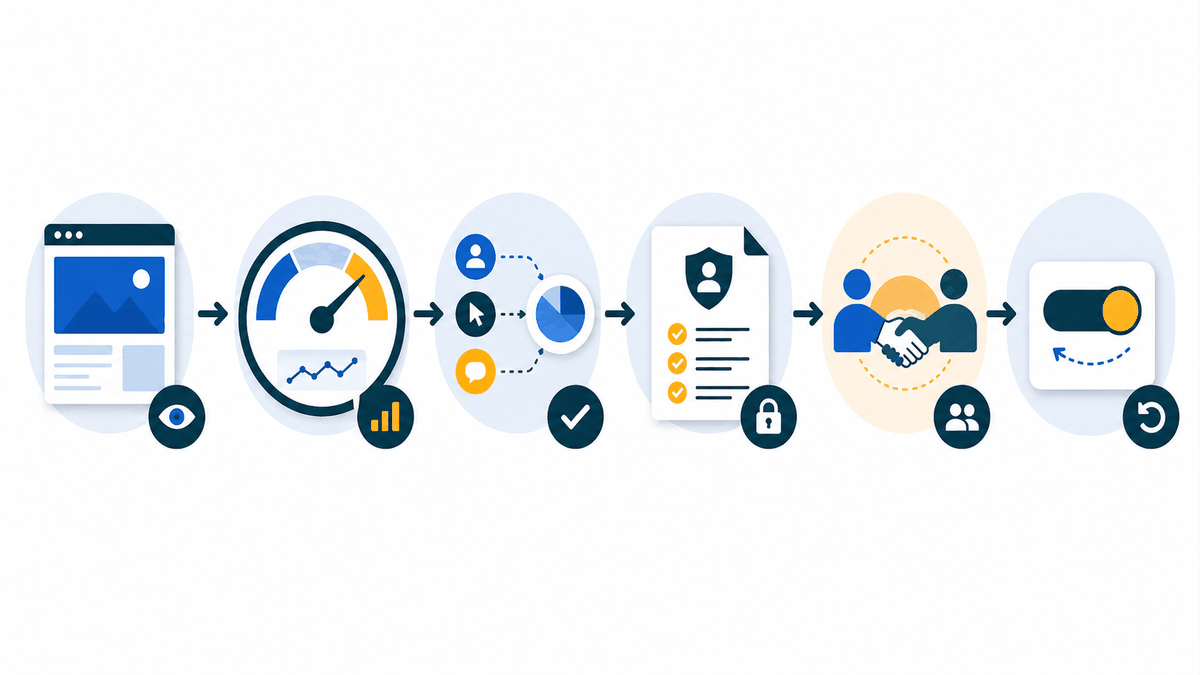
A primary consideration when integrating external software into a website is its potential impact on page performance. A slow-loading website can negatively impact user experience and may affect search visibility. When evaluating tools, Core Web Vitals are a set of metrics provided by Google that quantify the user experience on a webpage, including loading speed. Before selecting a messaging app, businesses should evaluate how the widget’s code interacts with these metrics.
During the evaluation phase, businesses can review performance metrics or test the script on a staging site. It is often beneficial if the widget can load asynchronously, which means it may not block the rendering of the primary page content, allowing the user to view the page while the messaging interface initializes. If a vendor’s script significantly impacts performance, the business should weigh those costs against the potential customer service benefits.
Documenting Baselines and Data Flow

To accurately measure the impact of a new messaging integration, businesses should document a comprehensive pre-integration performance baseline. Utilizing tools to record current page load times, mobile responsiveness scores, and overall site stability provides a clear benchmark. After the integration is deployed, running the same tests allows the web development team to verify if the new widget has degraded the user experience or caused conflicts with existing scripts.
Equally important is establishing a data-flow inventory before launching the tool. Businesses need to map exactly where a customer’s data originates on the website, how it is transferred to the messaging vendor, and where it is eventually stored. Documenting this flow highlights potential privacy vulnerabilities and ensures that the business maintains a clear overview of customer interactions, which is essential for ongoing software audits and operational accountability.
Evaluating Security and Shared Data Responsibilities
When a customer initiates a chat on your website, they may share personal contact information or order details. While the messaging vendor provides the software infrastructure, the business and the vendor often have shared or contract-specific responsibilities regarding data security and compliance. Data handling practices must be a key criterion during your evaluation.
Businesses should require vendors to document their security practices. This includes understanding how data is encrypted in transit and at rest, what the retention and deletion policies are, and what access controls are in place. Additionally, businesses should inquire about any subprocessors the vendor uses and their incident handling procedures. For websites that interact with consumers in regions with specific privacy laws, understanding compliance is vital. The General Data Protection Regulation (GDPR) establishes rules for businesses regarding the processing of personal data within the European Union. Reviewing a vendor’s privacy documentation can help ensure it meets your specific operational and legal context.
Understanding Platform Capabilities: AI vs. Live Chat
The messaging application market includes live chat tools intended for human operators and automated chatbots. Many platforms offer a hybrid approach. Businesses should evaluate their internal resources before choosing a direction.
1. Live Chat Requirements
If you choose a platform focused on live chat, consider your staffing capacity. A chat widget that frequently displays an “offline” message or has long response times may not meet customer expectations. If your local business does not have personnel available to monitor the chat during operating hours, a pure live chat solution might be challenging to sustain.
2. Chatbot Automation
Automated chatbots can handle routine inquiries, such as store hours or return policies. When evaluating these tools, consider how the bot is configured. Does it require technical expertise, or does it offer a visual interface? Additionally, consider transparency. As a best practice for trust and usability, it is generally recommended to clearly identify when a customer is interacting with an AI bot rather than a human representative, unless a qualified adviser has established a specific legal duty for your jurisdiction.
To help people move through a conversation without guessing, include the chat window in the evaluation. These chatbot UI examples show practical ways to compare prompts, buttons, typography, error states, and human-handoff cues before choosing a pattern for a site.
Practical Checklist for Messaging App Evaluation
To assist the selection process, local businesses can utilize a practical checklist when comparing different messaging vendors:
- Mobile Responsiveness: Does the chat interface display correctly on smartphones without obstructing website navigation?
- Customization Options: Can the widget’s colors and branding be adjusted to complement your website’s design?
- Integration Capabilities: Does the platform offer integrations with your preferred CRM (Customer Relationship Management) software or email marketing tools?
- Analytics and Reporting: Does the dashboard provide metrics, such as average response time and peak chat hours?
Addressing Operational Limitations
Integrating a messaging application can involve operational considerations that should be planned for. A potential limitation is creating a disconnected customer experience. If a customer starts a conversation on the website chat but later calls the store, it can be helpful if the representative on the phone can reference the previous chat transcript, provided the platform supports such data integration.
Another consideration involves the natural language processing capabilities of automated bots. While AI has improved, it may still struggle with complex technical support issues or nuanced queries. Relying exclusively on automation might lead to situations where a customer’s specific question goes unanswered.
Human-Escalation Protocols
To help address the limitations of automation, a messaging integration should ideally feature a human-escalation protocol. When evaluating a hybrid chatbot system, check how it handles a “handoff.” If the bot cannot answer a question, investigate whether the platform can transfer the conversation to a human representative, and what information is passed along.
If a human is unavailable—for example, outside of operating hours—the system might need a fallback mechanism. It could pivot to collecting the user’s contact information for a follow-up. Testing these scenarios can help determine if a platform aligns with your customer service standards.
Strategic Integration
Integrating a customer messaging app into a local business website is a decision that involves technical, operational, and security considerations. By prioritizing website performance, reviewing shared data security responsibilities, evaluating internal staffing, and planning for human-escalation, businesses can select a tool that supports their customer service objectives. Careful evaluation can help ensure that the chosen technology aligns with the broader goals of the business.
Frequently Asked Questions
Will adding a chat widget affect my website’s loading speed?
It can impact performance depending on the script. You can look for platforms that offer asynchronous loading or minimal code weight to help mitigate impacts on your Core Web Vitals and overall page speed.
Should I disclose that my website uses an automated chatbot?
As a best practice for user trust and usability, your automated greeting should typically indicate that the user is interacting with a digital assistant. Check with a legal adviser regarding specific regulatory requirements in your area.
What happens if a customer sends a message after business hours?
Many messaging platforms allow you to set operating hours. When offline, the widget can often transition to a lead-capture form, asking for the user’s contact information for a follow-up during the next business day.
Can I connect the chat transcripts to my customer database?
Some messaging apps offer CRM integrations. During your evaluation, you can check if the vendor supports your specific CRM or offers integration options to assist with managing customer data.